Be yourself; Everyone else is already taken.
— Oscar Wilde.
This is the first post on my new blog. I’m just getting this new blog going, so stay tuned for more. Subscribe below to get notified when I post new updates.
Be yourself; Everyone else is already taken.
— Oscar Wilde.
This is the first post on my new blog. I’m just getting this new blog going, so stay tuned for more. Subscribe below to get notified when I post new updates.
After finishing all 6 of my tracks, I implemented them into Wwise. I was fortunate enough to retain the knowledge of how to do this as Game of Choice started straight after my Cube project ended.

I smoothly added transitions and fades between the intensities so that my audio wouldn’t sound so clunky when switching between them.
I started off by looking up footage of gameplay from each area and while doing this, I quickly noticed that Velen is more uplighting, while Skellige has greater mystery around it. These findings greatly influenced me while making them.
After further listenings I identified the specific instruments I would need in order to duplicate the atmosphere of the game

To shift the intensity from low to medium and medium to high, I added drums and make the instrumentation faster paced.


My objective was to make my low intensity feel like exploration music, my middle intensity to simulate battle enemies, and my high intensity to represent a boss battle. This was the case for both my chosen areas
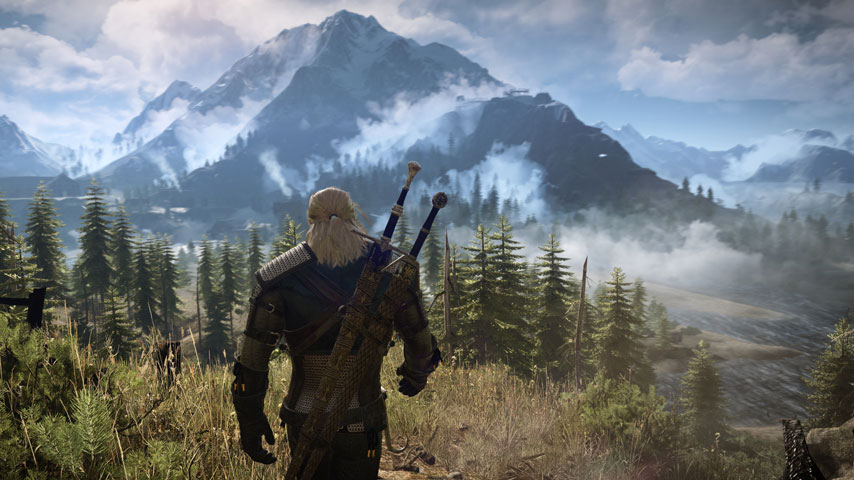
This was the next project I had to put onto Wwise. My task for this was to create 6 tracks (2 of each intensity) that could be used in areas in a specific game of our choosing. For this task I chose to do music for The Witcher 3. Next I had to choose my desired areas which were “Velen” and “Skellige”

When watching back the previous video I filmed of my game footage, I noticed that the death music didn’t play when the player died. I quickly went back into cube and link the music so that it plays at the right event. This is a new video of me showing off my game and the dying feature.
https://drive.google.com/file/d/1GcAUGH6-wK8m9g0v-TEC-c2faTBmopC1/view?usp=sharing
I can now confidently say that I have finished the project. It took longer than expected but I am very happy with the results. I feel as though I have a better understanding of Wwise as a whole now. Looking back on the project, I am glad that I made mistakes as I was able to learn from them.
Here is a video of me playing my finished Cube game.
https://drive.google.com/file/d/1hZ03eyQah2tm9RFVIWsDJ2hKfIcDhbPH/view?usp=sharing
After putting the last of my sounds into Wwise I went over the list given to us to make sure there wasn’t anything I missed. Here is a more detailed video about the list and the process I went through.
https://drive.google.com/file/d/1_IyaxiwNq-Z0xiW6SXqQKo-yeYs7PyG1/view?usp=sharing
As I was trying to finalise my Cube project, a small selection of my sounds weren’t generating.


After a day my lecturer suggested I should try moving those audio files to my desktop, renaming them and them implement them back into Wwise. After attempting this, all of my files generated which put me at ease as I had now finished my project at this point.
With problems going on in the world, I wasn’t able to go into class to work more on my project. This also meant that all my classes moved to an online system.

I took a short video of this zoom call.
https://drive.google.com/file/d/1e5VbmiBFC-5-tx9G6WCDBP28jar8xDJR/view?usp=sharing
My lecturer went through the courses of action for our projects since no one could access the building. I was overjoyed upon hearing that the deadline would be extended an extra week.
Added music for the opening, intruder alert and death moments in Cube.
I have become more relaxed than I should at this moment in time and haven’t been taking Cube seriously. Time management has always been an issues of mine as I start projects off strong, but then slowly start to lose motivation and become lazy partway in.
To get back in a productive habit I made myself a schedule. Each week I would complete a number of tasks so that I can finish the project off in time at my own pace.
I was saving my project as I was going along., but another thing I had to be wary of was backing up my project in case something were to happen and all the files got erased.
I asked my lecturer how I could set up another failsafe and they informed me of the correct method to back up my project.

The way I had to do it was right click on the folder and navigate to “compress”. This would create a zip file of the whole project that I could sent to my Google Drive or take with me anywhere. Just to be extra safe I sent this zip file to my USB as well as my hard drive so I had three copies in total.
Have a WordPress.com account? Log in now.

